A Quest for Redundancy
I really wanted redundant power for one of my switches, and really didn't see the need/value in replacing the switch with a model with dual power supplies. This ultimately led me to an APC Automatic Transfer Switch (AP7750):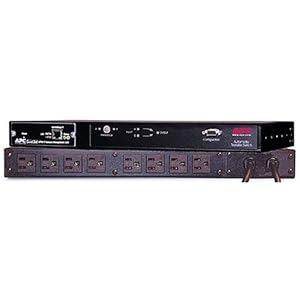
Just like all of the other APC gear in the rack, it's got a network module. Sweet. Only problem is that it doesn't want to get an IP address on the network. APC will ignore any DHCP leases without a "cookie" in the DHCP options, and I don't really feel like messing with DHCP just for this one-off. I figured that using the included "device IP Configuration Wizard" would find the device and let me IP it. Not so much.
Found it. Now What?
The tool scanned the network and found the MAC address. Good. I entered the IP/netmask etc and... "The IP is already in use on the network" Er... No it isn't... Some Googling suggested that a newer version the utility was available at apc.com... Yup. Much they're up to v5.x (vs v3.x on my included CD). The GUI is a bit snazzier too... and... it fails with a different error, but still the same problem.When in doubt, bust out a shell
I'm pretty certain that I had to go through this once before with one of our APC PDUs or freestanding UPS'es (a while ago) which helped me to find the solution more quickly... the trick is to send a specially crafted ping to the device:
- arp -s <desired IP> <mac address of APC device>
- ping -s 113 <desired IP>
- (while the ping is still running, in another window) telnet <desired IP> u/p: apc/apc
- Configure networking on the device properly (netmask/gateway, etc)
RTFM?
I will admit that this is kinda documented in the APC install guide (in a section that perhaps should have been labled "Beware the Leopard"), though it only worked for me when I followed the exact steps above (113 byte ping running while simultaneously attempting to telnet to the APC CLI).
Hopefully this is helpful to someone, someday.

No comments:
Post a Comment